🔹 Open the app store 🔹 Search for “Odeko – Order Local Coffee” 🔹 Tap Download and install the app
Step 2: Create an Account
🔹 Open the Odeko app 🔹 Tap “Create an Account” and follow the instructions 🔹 If you already have an account, tap “Sign in”
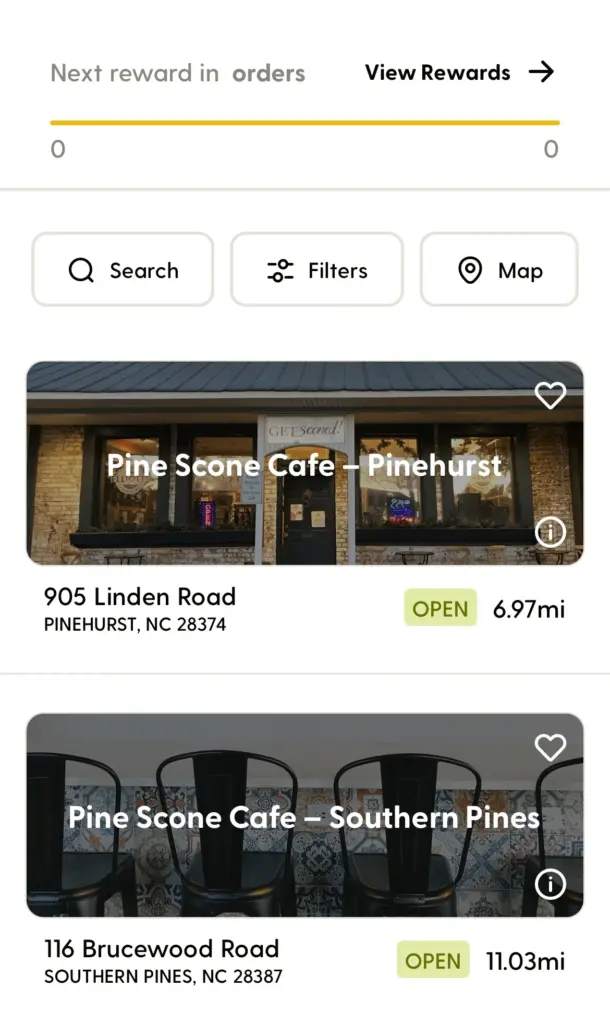
Step 3: Find Pine Scone Cafe
🔹 Use the Search Bar or Map feature 🔹 Look for Pine Scone Cafe 🔹 Select either the Pinehurst or Southern Pines location
Step 4: Place Your Order
🔹 Browse the menu and select your favorite coffee or snack 🔹 Tap the item and adjust customizations if needed 🔹 Add to your cart and proceed to checkout 🔹 Choose your pickup time and confirm your order